
App development
Can your website become an app in the App Store and Google Play
An app that only loads your website is often rejected by Apple. What the App Store and Google Play rules say, when a wrapper has a chance, when a PWA or a real app is the better choice and what to do if you have already been rejected.
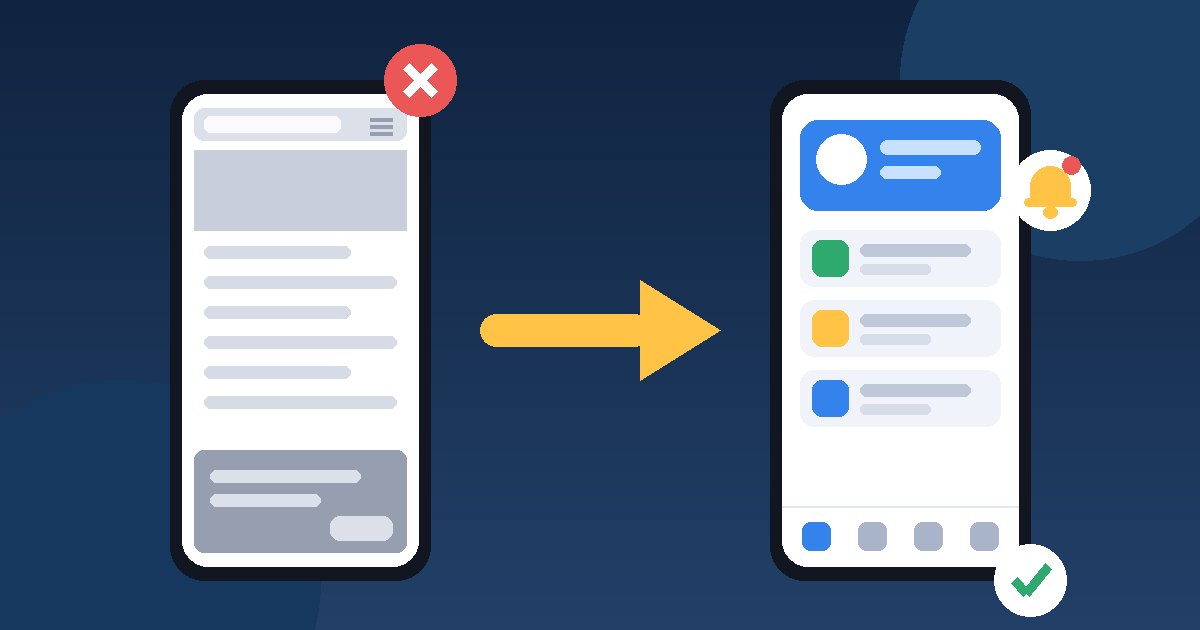
Yes, but not simply as a website in a frame. An app that only opens your site in a WebView is the classic App Store rejection under Guideline 4.2 Minimum Functionality. Apple wants an app to offer features, content and UI that elevate it beyond a "repackaged website". Google Play has a broader usefulness requirement, but it also does not allow static apps without app-specific functionality. A wrapper has a chance when the user's main task is built as an app and makes use of the phone. If you cannot say what the app does better than the browser, the more sensible choice is usually a well-built web app (PWA) or a real mobile app.
What the Apple and Google rules say
Several rules in Apple's App Review Guidelines apply directly to apps built around a website:
- 4.2. The app should include features, content and UI beyond a repackaged website. If it is not particularly useful, unique or "app-like", it does not belong on the App Store.
- 4.2.2. Other than catalogs, apps should not primarily be marketing materials, web clippings, content aggregators or a collection of links.
- 4.2.6. Apps created from a commercialized template or app generation service are rejected unless they are submitted directly by the provider of the content. The service should not submit them on behalf of its clients.
- 5.2.2. If you display content from a third-party service, you must be specifically permitted to do so and be able to prove it.
Google Play groups similar requirements in its Functionality, Content, and User Experience policy. It does not allow static apps without app-specific functionality, apps with very little content, or apps that crash or do not respond. Separately, the Webviews and Affiliate Spam rule bans apps whose primary purpose is to show someone else's website in a webview without the owner's permission.
Neither Apple nor Google publishes a minimum number of features that guarantees approval. What counts is the impression from actual use. So the advice "add push notifications and it will pass" is not a rule.
How reviewers recognise a website in a wrapper
The most useful test is simple. Install the test build and open your website in Safari on the same phone. Go through the same steps in both, first signed out, then with a demo account.
| Checkpoint | Looks like a website | Looks like an app |
|---|---|---|
| First screen | The site header, a hamburger menu, a cookie banner | A start screen or tab bar with the main sections |
| Navigation | Every tap reloads a page and "back" walks through browser history | Persistent navigation, each section keeps its state |
| No connection | A blank screen or a hosting error page | A clear message and previously loaded content that stays available |
| Notifications | None, or generic promotional messages | Events from the user's account that open the right screen |
| Device features | Only a file upload button | Scanning, Face ID or fingerprint sign-in, sharing, a widget, when they serve the main task |
| Links | Parts of the app open the browser | The main actions happen inside the app |
If most rows land in the middle column, a reply to the reviewer will not help. The app itself has to change.
Three approaches and when each makes sense
| Approach | When it fits | Limitations |
|---|---|---|
| Web app (PWA) added to the Home Screen | Customers use the service occasionally, the core is information, ordering or booking, the budget is limited | Not in the App Store. On iPhone the user adds it manually with Add to Home Screen. Web Push works for such web apps from iOS 16.4. |
| PWA on Google Play via Trusted Web Activity | You want a Google Play presence and the site already works well as a PWA | The site and the app must belong to the same owner (verified with Digital Asset Links). Google Play functionality policies still apply. It does not solve the App Store question. |
| Hybrid app | The main screens (sign-in, account, orders, navigation) are native, and web content is used only for parts such as articles or terms | Requires mobile development and maintenance in two stores, though less than a fully native app |
| Native or cross-platform app | Customers return often, there is a loyalty programme, tracking, scanning or offline use | The largest initial investment and ongoing maintenance |
There is an important detail for PWAs on iPhone. According to WebKit, a web app added to the Home Screen can ask for notification permission, but only in response to a user action such as tapping a button. For many small businesses this covers the need for "an app with notifications" without a store review. Chrome's documentation on Trusted Web Activity also stresses that web content should be accessible and useful in the browser first.
Three questions make the decision easier. How often will a customer open the app? Is there a task that needs the camera, location, offline use or fast secure sign-in? Do you have a budget for the yearly technical requirements of both stores, described in the article on what to prepare before launching an app in the App Store and Google Play? If the answers are "rarely", "no" and "no", start with a PWA.
Which features really add value
A feature carries weight when it changes how the user gets the main task done. The same idea can be strong or cosmetic:
- Notifications. They are strong when they report account events, such as a shipped parcel or a moved appointment, and open the right screen. Generic promotional messages do not make the app more useful. There is more in the article on using push notifications without annoying customers.
- Offline use. Orders, tickets or documents already loaded stay visible, and a clear message replaces a blank screen.
- Fast, secure sign-in. Face ID or fingerprint to return to a protected account. It makes no sense for public content.
- Scanning. A QR code for check-in, a barcode for a product, a photo of a receipt, when scanning is part of the process.
- Native navigation. Three to five main sections that replace the website menu, not back and forward buttons on top of it.
If you have already been rejected
- Read which guideline is cited. 4.2 and 4.2.2 mean the reviewer does not see enough functionality. 4.2.6 means the app was submitted by a template service instead of you. 2.1 usually means an incomplete submission, such as a missing demo account.
- Do the Safari comparison from the table above. Decide honestly whether the problem is in the app or the reviewer missed something.
- If the problem is in the app, change it and upload a new build. According to Apple, resubmitting before you have resolved every issue identified only delays review and leads to the same outcome.
- If the reviewer missed features, for example because they are behind a sign-in, reply in App Store Connect using Reply to App Review. Describe each feature, where it is and how to test it, and provide a working demo account.
- Appeal only after replying. The App Review Board is for cases where you believe the app follows the guidelines. Cite the specific guideline and explain point by point how you meet it. You submit one appeal per rejected app, and resubmitting for review closes the appeal.
On Google Play, read which section of the policy the notice names. "Limited Functionality and Content" calls for more app-specific functionality, while "Broken Functionality" means the app does not install, load or respond. The fixes are different.
Common mistakes
- The app is submitted from the app builder's or agency's account. Besides the risk of a 4.2.6 rejection, the app is not under your control this way. Publish it from your company's account.
- Counting on the reviewer not noticing. Even if it passes once, every later update is reviewed again.
- Box-ticking features. A map, sharing or notifications that nobody uses rarely change how the app comes across.
- Hidden features. If everything useful is behind a sign-in and there is no demo account, the reviewer only sees the start screen.
- Repeated submissions without changes. They only delay the decision.
A hypothetical example
A beauty salon has a website with online booking and wants an app. The first idea is to put the site in a wrapper. After the three questions it turns out that the average customer books once a month and needs neither the camera nor offline use. The salon chooses a PWA with notifications for booking confirmations and reminders and invests in faster booking on mobile. If it later adds a loyalty card with scanning and visit history, there will be a case for a mobile app with native core screens.
Next step
Write down the three actions that would make a customer open your app more than once, and next to each note whether the browser does them just as well. If the list is empty, improve the mobile version of your website. If it is not, put those actions in your brief. The article on what to put in a brief before asking for a quote helps with the rest. hostado can help with mobile app development, UI/UX design for the core screens or a website that works well as a PWA.