
Digital marketing
How to tell which channels bring you website enquiries
How to set up UTM parameters, an event for every enquiry and a simple check against the requests you actually receive, so you know which ads, posts and newsletters bring customers.
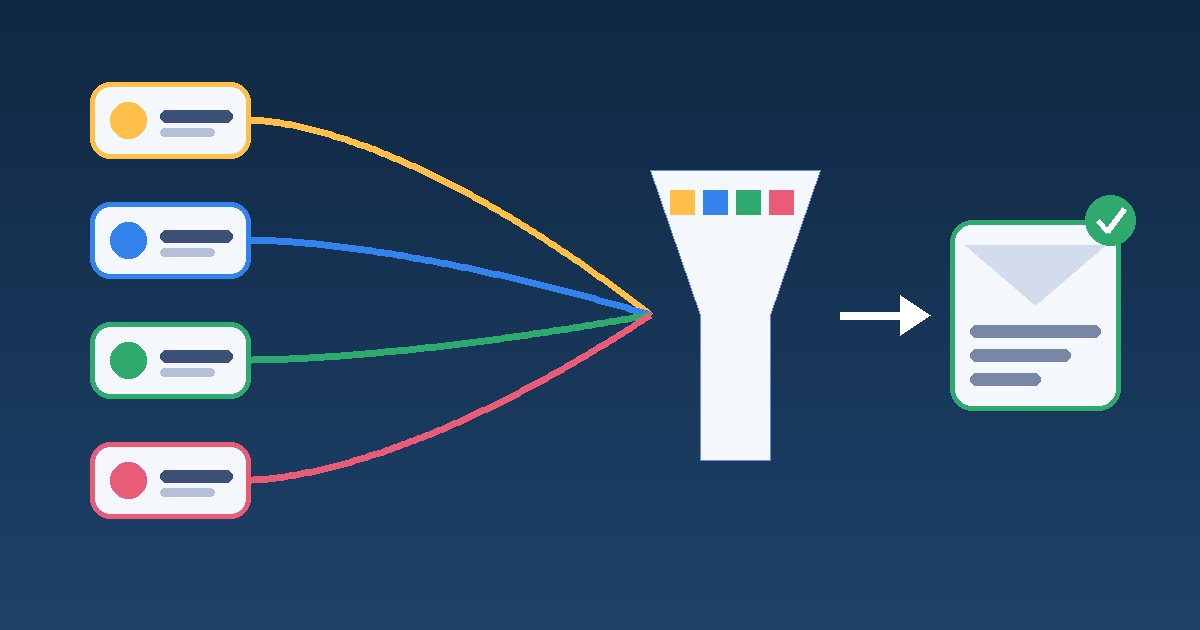
To know which channel brings enquiries rather than just visits, you need three things: consistently tagged links in every ad, newsletter and profile; a separate Google Analytics 4 event for every real enquiry; and a regular check of that data against what your team actually receives. Without the first, your reports mix channels together. Without the second, you see traffic but not results. Without the third, you may trust numbers that do not match reality.
This article is for owners and marketing leads at small and medium businesses who pay for ads or spend time on social media and newsletters, and want to know which of these leads to a call, an email or a completed form. The guidance was checked against Google's official help documentation as of November 2026.
What is detected automatically and what you need to tag
Google Analytics 4 assigns visits to channels according to the default channel group rules. Some channels are recognised without any work on your side, but for everything you control it is more reliable to set the source yourself.
| Where the visitor comes from | How it is detected | What to do |
|---|---|---|
| Organic search on Google and other search engines | Automatically, including clicks from AI Overviews and AI Mode | Nothing extra |
| ChatGPT, Gemini, Copilot and similar tools | GA4 has a separate AI Assistant channel for these referrals | Watch it as its own row, but do not expect every such visit to be recognised |
| Google Ads | Through auto-tagging (the gclid parameter) | Check that auto-tagging is on and the accounts are linked |
| Social media ads | Unreliable without tagging | UTM parameters with a paid medium such as paid_social |
| Newsletters and emails | Often reported as direct visits | UTM with utm_medium=email |
| Google Business Profile, QR codes, partner sites | Reported as referral or direct, with no distinction | A separate UTM link for each placement |
UTM rules that keep your reports clean
UTM parameters are added to the page address and tell Analytics where the visitor came from. Google recommends that you always set utm_source, utm_medium and utm_campaign, because missing values show up as "(not set)" in reports.
- Lowercase only. Values are case sensitive, so Facebook and facebook are reported as two different sources.
- One value per platform. Decide once whether Instagram is instagram or ig, and stick to it.
- A medium GA4 recognises. Values such as email, cpc, paid_social, social, referral, affiliate and sms land in the right channel. Invented values such as viber_campaign or print usually end up as Unassigned.
- No personal data. An email address, phone number or name in UTM parameters breaks Google Analytics rules on personal data.
- No UTMs on internal links. If a banner on your own site points to a page with UTMs, those values start taking part of the credit for the enquiry in event-based reports and can carry over to a later direct visit. Google shows this in its example of traffic-source scopes. Measure internal clicks with events, not UTMs.
The simplest way to stay organised is a shared sheet listing every link in use: where it is placed, who created it and which values it carries. Here is what it can look like.
| Placement | utm_source | utm_medium | utm_campaign |
|---|---|---|---|
| November newsletter | newsletter | 2026-11-newsletter | |
| Paid Facebook post | paid_social | winter-offer | |
| Website button in Google Business Profile | organic | gbp | |
| QR code on a brochure | brochure | referral | expo-2026 |
Tagging the Google Business Profile link is useful because visits from it otherwise blend into the rest of search. We explained how to organise the profile itself in our article on Google Business Profile for local businesses.
Which actions to count as an enquiry
Visits alone say nothing about customers. Decide which actions count as an enquiry and mark them as key events. A standard GA4 property lets you mark up to 30 key events; a newly marked event can take up to 24 hours to appear in standard reports and does not change historical data.
- A successfully submitted contact or quote form. Google recommends the generate_lead event for this. Send it only after a successful submission, for example when a thank-you page or message appears.
- Clicks on a phone number, email address or chat. Create a clearly named event of its own for clicks on tel: and mailto: links, so you can see them apart from other clicks. A click shows intent but does not prove a conversation took place.
- An order in an online shop. The purchase event is marked as a key event automatically.
Enhanced measurement of form interactions (form_start and form_submit) is a convenient start, but it does not tell an enquiry apart from other forms on the page, such as a newsletter sign-up. For budget decisions, it is better to have a separate event for real enquiries only.
Why the numbers will never match perfectly
Even with a good setup, GA4 will not show every enquiry. That is normal, and it is better to know in advance than to hunt for an error that does not exist.
- Cookie consent. When a visitor declines and consent mode is enabled, tags do not store cookies but send limited signals, and Google fills some of the gaps with modelling. Data on individual visits becomes less complete.
- Calls that bypass the website. Someone can see an ad, remember the name and call you without ever opening the site.
- Several devices. The first visit may happen on a phone and the enquiry days later on a work computer.
So add an optional "How did you hear about us?" question to the form and record the source in your CRM or enquiry sheet. Once a month, compare three numbers: enquiries in GA4 by channel, enquiries in the CRM and the answers to that question. If the gap is large for only one channel, check the tagging there.
Checklist for the first month
- Google Ads is linked to Analytics and auto-tagging is on.
- There is a shared sheet of UTM rules and every external link is listed in it.
- All values are lowercase and the medium is one GA4 recognises.
- Internal banners and buttons do not use UTMs.
- A successful form submission sends a separate event marked as a key event.
- Clicks on phone numbers and email addresses are tracked as separate events.
- Events and parameters contain no names, email addresses or phone numbers.
- A test enquiry from each channel shows up in the Realtime report.
- There is a date for the monthly check between GA4 and real enquiries.
A hypothetical example
This example is invented and is for illustration only. An air conditioning repair company runs Google ads, paid Facebook posts and a newsletter to past customers in November. Without tagging, the newsletter and some of the posts show up as direct visits, and it looks as if almost every enquiry comes from Google. Once the links have UTMs and the form sends generate_lead, it turns out the newsletter brings fewer visits but more enquiries per visit. The "How did you hear about us?" question also reveals calls from people who saw the ad but never opened the site. Budget decisions are now made on enquiries rather than clicks.
Next step
Start with what costs you money, usually paid ads and the newsletter, and only then tag the remaining placements. In digital marketing, Hostado plans and manages campaigns and tracks enquiries and purchases so you can see which approaches work. If you are preparing a new website or a redesign, include the enquiry events in the brief, because they are easier to build in from the start.