
SEO optimization
How to structure categories and product pages in an online store for Google
Category hierarchy, URLs, filters, pagination, product variants and structured data. The decisions that help Google crawl and understand your catalogue, based on its official documentation.
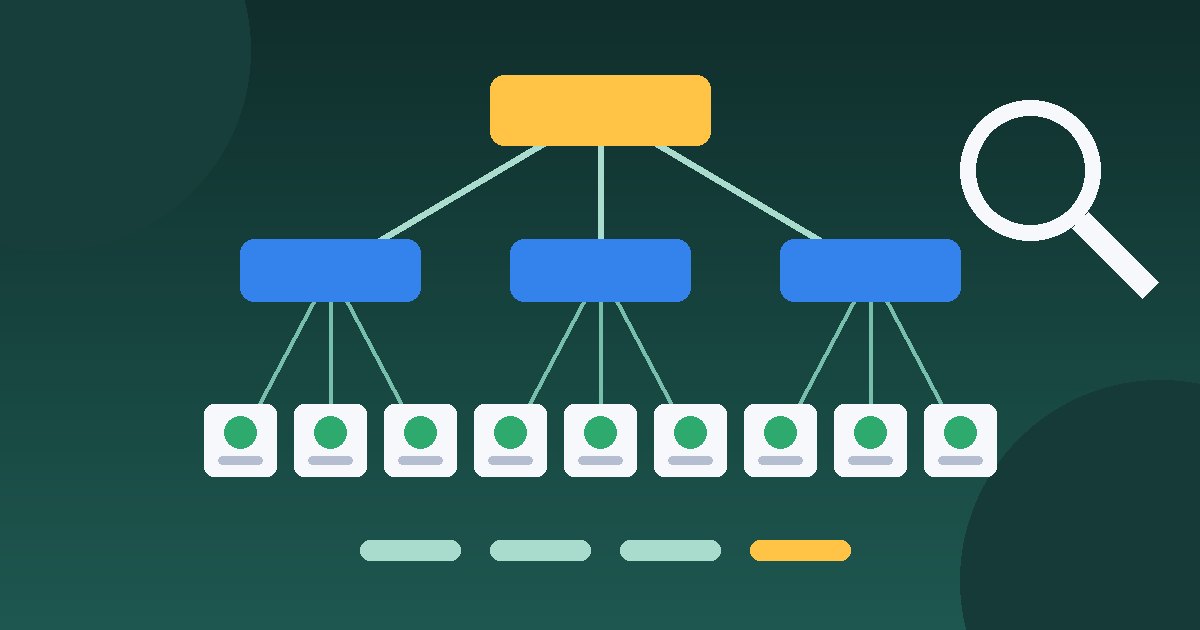
For Google to crawl and understand your online store, the catalogue needs a clear hierarchy of categories connected with ordinary links, one descriptive URL per page, controlled filters and sorting, pagination with unique URLs, a separate URL for every product variant, and structured data for products. These decisions are made during development. Changing them after launch usually means redirects, recrawling and a risk of losing visibility.
This article is for store owners and the people who build stores. The recommendations come from the Google Search Central documentation for ecommerce sites, checked in November 2026. No technique guarantees rankings. These only remove obstacles to crawling and understanding the catalogue.
A hierarchy Google can follow
Google uses links on a site to understand its structure and the relative importance of pages. The documentation recommends links from menus to categories, from categories to subcategories and from subcategories to all products. If a product can only be found through the site search, Googlebot will probably not discover it, because it generally does not submit queries into a search box. Use ordinary <a href> links, not JavaScript events on other elements. If a product is especially important to you, a link from the home page signals that importance.
In practice, start from how your customers search. Categories should use their language, for example "Women's shoes" and "Trainers", not internal stock codes. Every category needs a short unique text that explains what it contains and helps customers choose.
Page URLs
Google's URL recommendations for online stores are:
- descriptive words in the URL, for example /product/black-t-shirt-with-a-white-collar rather than just a number;
- as few alternative URLs as possible for the same content;
- consistent letter case if the server treats upper and lower case the same;
- no fragments after # for different content, because Google does not use them in indexing;
- no parameters that keep changing, such as a time or a session ID.
The documentation notes that ecommerce platforms have usually already handled these issues. With a custom store, they are the responsibility of the team building it.
Filters and sorting
Filters by size, colour, brand and price are useful for customers, but every combination can create a new URL. According to Google, this leads to overcrawling of useless URLs and slower discovery of new pages. If you do not want filtered pages to appear in search, the two recommended ways are to disallow crawling them in robots.txt or to express filters with fragments after #. Google says rel="canonical" and the rel="nofollow" attribute are generally less effective in the long term.
If you want some filtered pages indexed, for example "Red dresses", the documentation recommends the standard & parameter separator, a consistent order of filters in the URL, no duplicate filters, and a 404 status when a combination has no results. For sorting, for example by price, Google advises not to index variations of the same list, for example by using the noindex meta tag.
Pagination and "Load more"
According to the pagination documentation, every page in a list should have a unique URL, for example with a ?page=2 parameter, and each page should link to the next with an ordinary link. Do not use the first page as the canonical URL for the others. Each page has its own canonical URL. Google no longer uses rel="next" and rel="prev", although other search engines may still use them. If you use a "Load more" button or infinite scroll, make sure the content is also available at separate URLs, because Google generally does not trigger JavaScript actions to load more products.
Product variants
A product in several colours and sizes can be on one page with a selector or on separate pages per variant. Either way, Google recommends giving each variant its own URL, using a path segment or a parameter, and using a canonical URL. To help Google understand which products are variants of one parent product, the variants documentation describes the ProductGroup type with the properties variesBy, hasVariant and productGroupID, together with Product data for each variant.
Product page content
Descriptions copied from the supplier are often the same as in dozens of other stores. Write your own description at least for the products that matter most to you: who the product is for, what it does, its sizes and materials, how to care for it. Add your own photos, clear delivery and returns information and, where applicable, the manufacturer details and warnings that the law requires anyway. There is more on those in the article on which legal requirements an online store must meet. Show only genuine customer reviews.
Structured data and Merchant Center
Google's product structured data documentation describes two kinds of markup. Product snippets are for pages where the product cannot be bought directly, such as reviews. Merchant listings are for pages where customers can buy the product, and can show price, availability, shipping and returns. Google also notes that you can provide data through a feed in Google Merchant Center, and that combining structured data with a feed gives products the best chance to appear. Under the general structured data guidelines you should not mark up content that is not visible on the page, so markup data should match what readers see, including price and availability.
Decision table
| Topic | Decision | Source |
|---|---|---|
| Hierarchy | Menu, categories and subcategories with ordinary links to every product | Ecommerce site structure |
| URLs | Descriptive, one URL per piece of content, no # for different content | URL structure |
| Filters | Disallow in robots.txt or fragments, and if indexed a consistent order and 404 for empty combinations | Faceted navigation |
| Sorting | No indexing of reordered versions of a list | Pagination |
| Pagination | Unique URL and its own canonical URL for each page | Pagination |
| Variants | A URL per variant and ProductGroup | Product variants |
| Product data | Merchant listing and a Merchant Center feed | Product structured data |
Checklist for development
- Categories follow how customers search, and each has a short unique text.
- Every product is reachable through links from a category, not only through site search.
- URLs are descriptive and there is no more than one URL for the same content.
- There is a decision on which filtered pages are indexed and how crawling of the rest is stopped.
- List pages have unique URLs and their own canonical URLs.
- Every variant has a URL, and the markup uses ProductGroup.
- Product pages have structured data that matches the visible content.
- There is a plan for a Google Merchant Center feed.
If you are migrating an existing store, also read how to keep your Google rankings during a redesign. For choosing a platform, see Shopify, WooCommerce or a custom online store. When we build an online store at hostado, the catalogue structure is planned together with the design, and for growth after launch you can also look at our SEO and GEO optimization service.